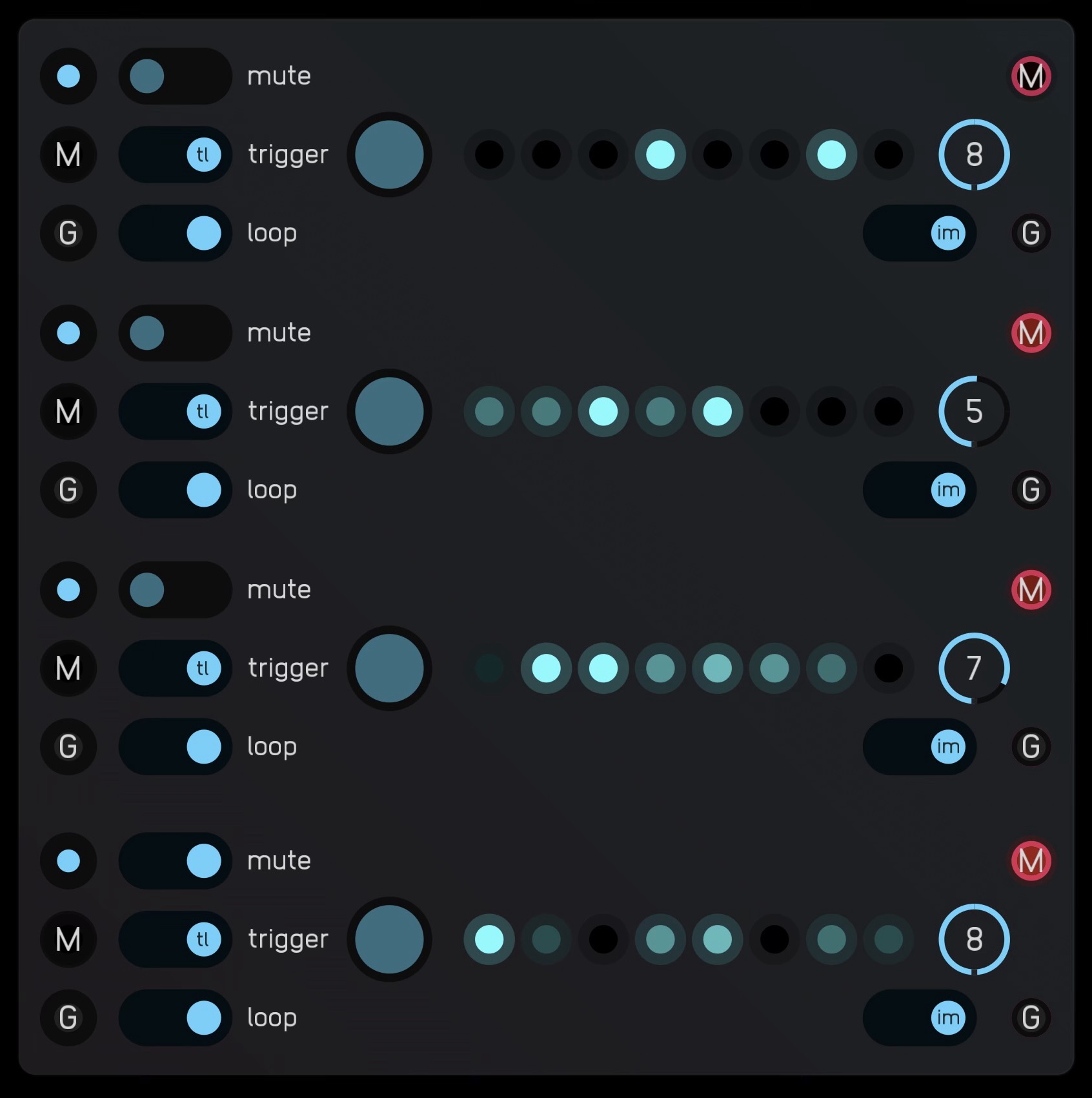
A sequencer that doesn’t store your patterns! 1
After the drum modules inspired by Moritz Klein’s series of analogue drum circuits, the next step was a sequencer to drive them all, once again with inspiration in a minimal shift-register design by Moritz himself.
The core of the module is an 8-step shift register, with input either from an external source (e.g. a clock divider or LFO in my demos), the trigger button on the module – or a combination of both. The trigger button can also be used to erase specific steps (or the entire sequence) when the mute toggle is activated. The length of the sequence can be adjusted from 1–8 steps, and looping can be turned off via the loop toggle. In addition to the main gate out, an additional output uses binary numbers resulting from the first four steps of the sequence to create patterns that can be used modulate accents or other parameters on the drum modules, or used to drive melodic sequences on a VCO, for example.
While lacking the direct programability of an xox type sequencer, the advantages here are the fun of having to ‘play’ rhythms into the sequencer combined with the ease of creating generative textures via external clock or modulation sources.
Modes
Trigger Level: The trigger level toggle (tl) applies incoming modulation levels should be applied to the trigger button. Patterns with combinations of full strokes (i.e. triggers with a value of 1 when the toggle is off) and modulated trigger levels (e.g. for ghost-note effects), can be created by toggling one way or the other when entering values.
Independent Modulation Mode: Trigger values other than 1 can be included in the shift-register feedback loop. The Independent Modulation (im) toggle activates only including trigger values of 1 in the loop, keeping the incoming modulation audible but not part of the loop. Toggling back and forth between these two modes can be a useful way of creating patterns. Listen for the interesting combinations between the incoming modulation (e.g. from an LFO) and a pattern that has been played in, and then switch the toggle off to loop the resulting pattern.
Controls
- Mute Toggle: When switched on, the Trigger Button can be used to erase specific steps, or held down to wipe the entire sequence.
- Trigger Level Toggle (tl): Toggles whether incoming modulation, e.g. an LFO, should be applied to the trigger levels or not. When switched off the trigger button outputs a level of ‘1’.
- Trigger Button: Used to ‘play’ patterns into the shift register, or erase them when the Mute Toggle is activated.
Unless modulation values are applied, the button enters a value of ‘1’ to the register in Trigger Mode , ‘0’ in Mute Mode.
Any value in Trigger Mode will be pulled to zero following the pulse width of the clock, i.e. holding the Trigger Button down will fill the register with a series of pulses following the clock, rather than entering a single value. - Loop Length: Determines how many steps (1–8) are included in the shift register.
- Loop Toggle: Determines whether the output of the shift register is fed back to its input.
- Independent Modulation Toggle (im): Toggles whether incoming modulation, e.g. an LFO, should be excluded from the shift-register feedback loop. When toggled on, only (trigger) values of 1 will be included in the loop.
Inputs
- Mute Input: If the incoming value is above 0.5, input to the shift register, from either the trigger input or trigger button, will be muted.
- Trigger Input: Values between 0 and 1 to be fed into the shift register.
- Gate Input: Determines the rate at which values will be passed through the shift register, from one step to the next.
Outputs
- Modulation Output: Binary numbers resulting from the combinations of the first four steps of the sequence are used to create patterns (with a 14-step vertical division) that can be used modulate accents or other parameters, as well as drive melodic sequences.
- Gate Output: The output of step 1 of the shift register, with values potentially ranging between 0 and 1.
For further demos, downloads, and discussions, see the Audulus Forum and Discord.
The module can also be downloaded here: shift-register-sequencer.audulus4.
-
The module does however save the last pattern(s) entered when saving the patch. ↩
